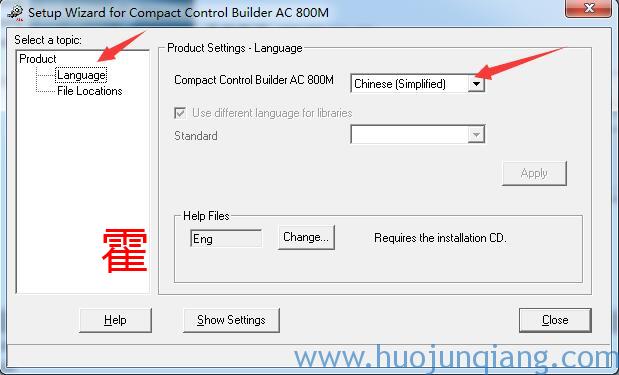
ABB Compact Control Builder AC 800M 5.1默認安裝為英文,國內的大部分吃瓜群眾覺得還是中文界面用起來帶感覺,這點ABB公司早就思考到了,下面就簡單介紹一下如何把Compact Control Builder AC 800M 5.1設置成中文界面。
在開始菜單中找到“ABB Industrial IT AC 800M”-----“Utilities”-----“Setup Wizard”
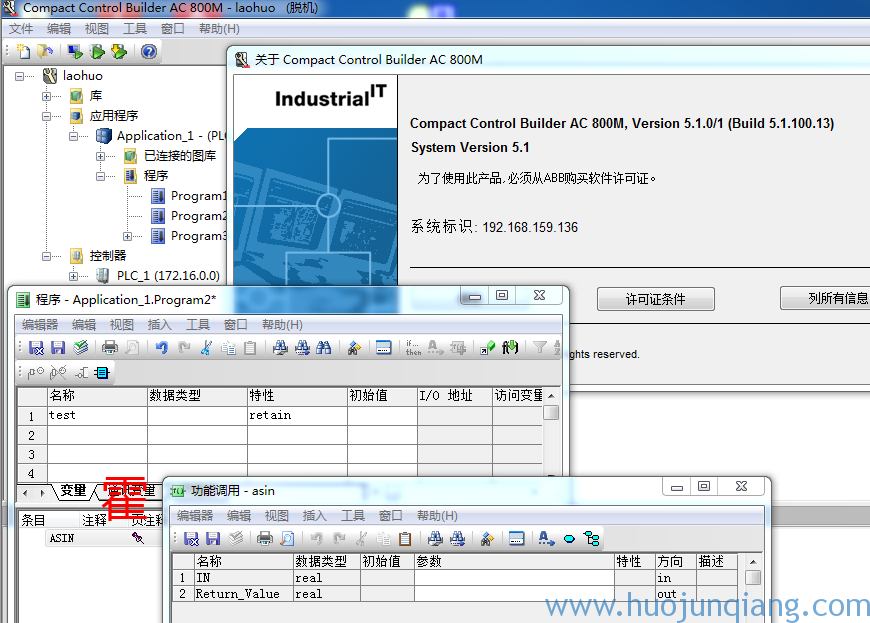
在上圖點擊左側的“Language”后,右側會出現語言選項,選擇“Chinese(Simplified)”后別忘了再點擊下面的“Apply”按鈕。然后重新打開Compact Control Builder AC 800M編程界面,程序就變成簡體中文了,如下圖所示,至此大功告成。
| 歡迎光臨 ELEOK (http://m.afoofa.cn/) | Powered by Discuz! X5.0 |